
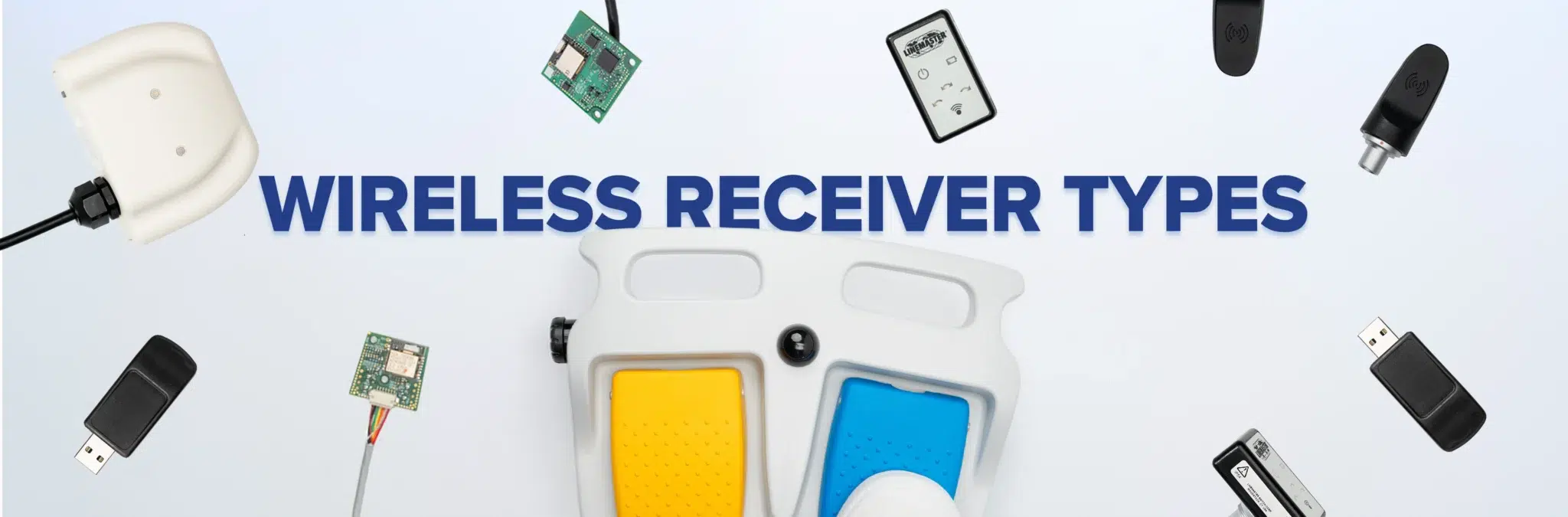
Understanding Wireless Receiver Types in Foot Switch Systems
When people think about a wireless foot switch system, the first thing they usually focus on is the pedal itself. But what makes the system work wirelessly is the receiver.
The receiver is what takes the signal from the transmitter and allows the equipment to respond the way it’s supposed to. Without it, there is no wireless communication between the foot switch and the system it’s controlling.
And just like not every wireless foot switch is built the same, not every receiver setup is either.
Some receiver types are better for retrofitting an existing wired system. Others make more sense when wireless functionality is being built into the equipment from the start. Some are mounted externally, while others are integrated directly into the console or enclosure.
That is why receiver type matters more than people may realize.
If you’re evaluating a wireless foot switch system, understanding the different types of receivers can help you better understand how the system is built, how it communicates, and what kind of setup may make the most sense for your application.
What Does a Wireless Receiver Actually Do?
A wireless receiver does exactly what the name suggests. It receives the signal sent from the wireless foot switch and converts it into something the equipment can respond to.
In a wired foot switch, that signal travels directly through the cord. In a wireless setup, the signal still must get from the foot switch to the equipment, but instead of moving through a cable, it’s transmitted wirelessly and picked up by the receiver.
That means the receiver is part of the signal path. It is not just a background component. It plays a direct role in how the wireless system functions.
Why Receiver Type Matters
Receiver type matters because it affects how the wireless system is integrated into the equipment.
That includes things like:
- How the system is installed
- Whether the receiver is external or built in
- Whether the setup works for a retrofit application
- How the receiver fits into the console or enclosure
- How the equipment communicates with the foot switch
So when you’re comparing wireless receiver types, you’re not just comparing pieces of hardware. You’re really looking at how the wireless system is going to work as a whole.

Types of Wireless Receivers
There are several different ways a wireless foot switch receiver can be set up depending on how the system is designed.
Product | Receiver Type | Integration Method | Best Fit | Typical Power Source | Key Consideration |
|---|---|---|---|---|---|
 | Stand Alone Receiver | External unit, separate from console or enclosure | Systems where internal mounting isn’t possible | External wall adapter or available port (e.g., USB 5V) | Adds external hardware; hardware-based pairing required if no GUI |
 | Dongle Receiver | Compact plug-in unit connects to available port | Portable setups or simple retrofit scenarios | Powered by host port (e.g., USB) | Limited to available port; pairing initiated via button on dongle |
 | Integrated Module | Wireless functionality built into equipment architecture from the start | New system designs with wireless planned at specification | Sourced from equipment architecture directly | Most seamless outcome; requires wireless to be scoped into the original design |
How Receiver Design Affects Integration
Receiver type affects more than where the hardware sits. It also affects how the system comes together.
A wireless setup requires more than just the switch itself. It also needs electronics that allow the signal to be sent, received, and interpreted correctly.
That means receiver selection can affect:
- Internal layout
- Enclosure space
- Antenna placement
- Communication setup
- How the wireless system fits into the equipment overall
That is why receiver design should be part of the conversation early, not something that gets figured out later.
Power and Pairing Considerations in Wireless Receiver Design
In addition to physical integration and communication, there are a couple of practical setup details that can make a big difference once a wireless receiver is being implemented: power availability and how pairing is initiated.
These are the kinds of things that may not always come up right away, but they can have a major impact on how easily a system is installed, integrated, and supported later on.
Power Availability and Injection
A wireless receiver still needs power to operate, and in retrofit applications, that is not always as straightforward as it sounds.
In some systems, the console or host equipment can provide power directly through the connection point. But in many retrofit situations, especially when working with older or legacy equipment, that power is simply not available on the pins being used.
When that happens, the receiver still needs another way to be powered.
In most cases, that usually means one of two things:
- Supplying power externally through a wall adapter.
- Pulling low-voltage power from another available port, such as 5V from a USB connection.
Each approach comes with its own tradeoffs.
Using an external power supply can add wiring and components to the setup, but it also gives the system a more controlled and reliable power source. Pulling power from an existing port can simplify installation, but it also depends on what power is available and whether the system can support it.
That decision can affect everything from layout and cable management to serviceability and overall system reliability.
That is why power planning is one of those details that should be thought through early, especially in retrofit applications where available power is often assumed instead of confirmed.

Initiating Pairing in Systems Without a GUI
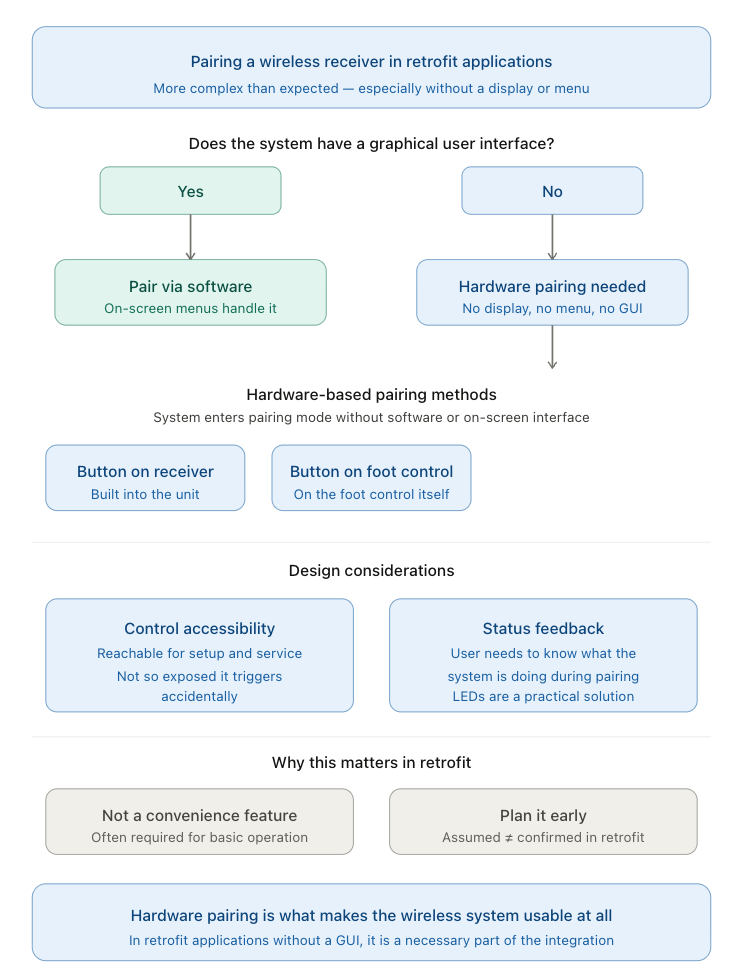
Pairing is another part of wireless receiver integration that can become more important than expected, especially in systems that do not have a graphical user interface.
In newer systems, pairing can often be handled through software. But in retrofit applications, there is often no display, no menu, and no built-in interface to start the process.
That means pairing must be initiated another way.
In those cases, the system usually needs some kind of hardware-based pairing method, such as:
- A button on the receiver
- A button on the dongle
- A dedicated pairing input on a stand-alone receiver
This allows the system to enter pairing mode without relying on software or an on-screen interface.
From a design standpoint, that also brings up a few other practical considerations.
The pairing control needs to be accessible enough for setup and service, but not so exposed that it can be triggered accidentally. And once pairing is initiated, the user or technician also needs some way to know what the system is doing, which is where indicators like LEDs can become useful.
In retrofit applications especially, this is not just a convenience feature. It is often a necessary part of making the wireless system usable at all.
Other Features That Can Influence Receiver Selection
Receiver type is important, but it is not the only thing that can influence which setup makes the most sense.
Depending on the system, other receiver-related features may also matter, including:
- Support for LEDs or button inputs
- Compatibility with multiple transmitters
- Communication simplicity
- Fail safe behavior
- Certification requirements
- How the receiver is configured within the system
These kinds of details can make a real difference depending on what the equipment needs the receiver to do.
How to Think About Choosing the Right Receiver
If you’re trying to choose the right wireless foot switch receiver, the best place to start is with the system itself.
Ask questions like:
- Is this a brand-new system being designed around wireless from the start?
- Is this an existing piece of equipment that needs to be adapted to work wirelessly?
- Does the receiver need to be built into the console, or would an external setup make more sense?
- Will enclosure design affect receiver placement or antenna performance?
- Will communication or integration requirements influence which receiver type works best?
Those questions usually lead to a much better answer than simply asking which receiver type is “best.”
Because the best receiver is the one that fits the system is being built for.
Final Thoughts
The receiver is one of the most important parts of any wireless foot switch system, even though it usually gets much less attention than the pedal itself.
Whether the setup uses a stand-alone receiver, a dongle receiver, a receiver kit, an internal receiver board, or a fully integrated module, each one supports wireless communication in a slightly different way.
And those differences matter.
They affect how the system is integrated, how the equipment communicates, and how the wireless setup fits into the final design.
Understanding the different wireless receiver types used in a system can make it much easier to evaluate what kind of setup makes the most sense before those decisions turn into integration problems later.
Meet The Author

Arijan Kandic
Digital Marketing Specialist
Arijan is the Digital Marketing Specialist at Linemaster Switch Corporation and holds a bachelor’s degree in business management from Quinnipiac University. He manages the company’s SEO strategy, Google Ads campaigns, and digital marketing initiatives, and develops educational content for the Linemaster Learning Center to help engineers, OEMs, and medical device manufacturers better understand foot switch technology. Arijan works closely with Linemaster’s engineering and applications teams to translate complex technical concepts into clear, accurate articles on foot switch design, customization, and compliance considerations.
In Collaboration with

Sean Lewis
Director of Engineering
Sean has more than fifteen years of experience in product development, engineering governance, and cross functional technical operations. His background in metal fabrication, including machining, forming, welding, and inspection, provides a strong manufacturing foundation that supports his approach to design and process optimization. Sean holds a bachelor’s degree in mechanical engineering, an MBA with a manufacturing concentration, and an MSOL. He is a Certified SolidWorks Expert with advanced capability in CAD, rendering, simulation, and rapid prototyping. Sean also specializes in DFMEA and PFMEA risk management practices and is the holder of several foot switch design and utility patents.
Uploaded 04/15/2026
Custom Foot Switches
Linemaster’s custom footswitches are designed to meet specific user requirements, offering a range of features such as various pedal configurations, wired and wireless options, and customizable LED indicators. These custom footswitches provide reliable, durable solutions tailored to enhance functionality in diverse applications.

